This post was from Jivtesh regarding the compatibility of GP 10.0 & Tools with Windows 7.0.
I got curious and tried it on my laptop. This is the result:
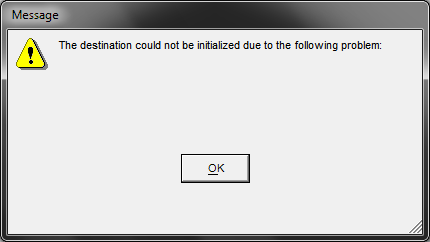
Thanks Jivtesh for the timely reminder.
VAIDY

This post was from Jivtesh regarding the compatibility of GP 10.0 & Tools with Windows 7.0.
I got curious and tried it on my laptop. This is the result:
Thanks Jivtesh for the timely reminder.
VAIDY
Looks like we are yet to get the Dexterity SP4 Update. I was going thru’ the version details of Dynamics GP 10.0 Features and for Dexterity the latest version Post SP4 is 10.00.0324.
But after I applied the SP4 on my environment, I am still having Dex 10.00.0320 (Pre SP4). I remember I read this information from a LinkedIn GP Forum and I thought I would first check this out before I confirm.
For those who are looking for Dex SP4 Update, please wait till we see it available on PartnerSource.
VAIDY

This one is pretty critical release. We have been waiting for this a long time and it is now out there and available. Thanks to David, Mariano & Janakiram to inform us in the first place.
Follow this CustomerSource link and you would be getting it right on your GP environment: Microsoft Dynamics GP 10.0 SP4 CustomerSource Link. Follow this MSFT Dynamics GP Official Blog Link to make use of several important links leading to critical information.
But also make sure that you follow the instructions before just installing it on any Production Environment.
VAIDY

How important it is to have a Source Code Control program for your Customizations? In my opinion, IT IS VERY MUCH IMPORTANT.
I recently formatted my laptop after taking necessary data backups, which included all of my project source dictionaries. After getting my laptop back from my Systems Team, I found that I forgot to take a backup of one particular Source Dictionary on which I was then working.
It gave me enough nightmares. I still came over it. I had uploaded a version of that Source Dictionary 2 versions prior to the current version. I took that backup and added the changes that I had made on the recent 2 versions. I was relieved and to be honest saved from getting booted.
But it did give me a day full of nightmares and uncertainties over my next move on this project. I never failed to use Source Code Control program, but somehow for this customization, I forgot to amend the Source Code Control with recent 2 versions.
Never ever take this lightly and always use a Source Code Control program to maintain the versions. It’s not so easy to resurrect any lost data. Never been easy to my knowledge.
VAIDY

David has posted an article on the GP 10.0 Individual Windows Design. He has also listed 4 points which reasons this complete changeover.
I would like to share one major advantage in this:
Technically, VSTools Customizations will work pretty good with this SDI design. Earlier in v9.0, if we design a VSTools form, that would be shown outside the GP MDI. Worst thing, if we try to open a GP’s standard lookup, we would be seeing the lookup behind our calling VSTools form. And that’s quite absurd.
With SDI, VSTools form can also act like the regular GP form and it can also invoke the GP windows without any visual issues.
I guess, developers would have already noticed this and appreciated this changeover. But there could be other functional advantages in addition to what David has explained.
On the whole, I do love this SDI design for several reasons. And I have not got any one reason to hate it.
VAIDY

Alright, this one was a real scary incident.
I was wondering what would have happened if Janakiram MP did not find that 2 months prior backup of DYNAMICS. Worst, if the mentioned guy had done anything on any Company Database, life would have been even more miserable.
Just some addition of my thoughts:
1. Always be there for your client when they try doing any sort of maintenance that involve Dynamics related DBs. This does not really mean that we have to be physically present for each and every backup and restore that they take on the databases. But at least, mention very clearly to the clients, once the implementation is over, that they ought to be very careful when they do any kind of maintenance which involve DYNAMICS and/or Company DBs. And assure them that you would be available for any support in doing that.
2. When we do such things, we MUST take the database backups before we start. It’s completely ridiculous to do anything SQL without a backup.
3. Always ensure that we schedule a Backup of DYNAMICS & Company DBs, and always remember that this is a part of our Implementation. It’s us, as a Partner, who are suppose to guide the Clients’ Sys Admin in understanding the importance of taking scheduled backups. It’s not a bad idea either to have it scheduled by ourselves and inform the clients about the physical location on the Server.
VAIDY

The article, Creating a keyboard shortcut for Microsoft Dynamics GP Expansion Buttons from Mariano, is a real gem. I have been learning VBA from this guy and David with too many samples shared and explained, in fact all are real time solutions.
This article from Mariano deals with creating a Keyboard Shortcut to open the Detail Entry windows without having to click on the Expansion Button for each such window. Quite great to know how easy it is to write a code and get it ready in no time for the users.
Modifier with VBA for Dynamics GP is really fascinating and how!!!
VAIDY

Alright. This one is solved.
This is the message that I am referring to:

Thanks to David; his comments really eased my troubleshooting. But then, I still had to delete each product from the DYNAMICS.SET file and find out which one that’s throwing this message.
The product, which throws this message, is: Grant Management
This comes under the product Analytical Accounting, as a sub-product (or sub-feature).
Now the question that comes to my mind is: For what reason this message is getting populated? Is it something really critical? Or is it just another example of a Developer’s Mistake to leave this message on the code after completing his/her Unit Testing?
Till we find an answer to that, for those who have faced this message: Just make sure that you have the DEBUG menu disabled (by setting the ScriptDebugger=FALSE statement in DEX.INI) and in case it is needed, deselect the Debug Menu Option “Show Debug Messages”.
VAIDY

I thought I would ask our community to shed some light to this message.
When I launch GP, I am getting this information message “Stop here.”. I am quite sure I have not written any customization with such a (c)rude message. 🙂
I am not quite sure how I can find out the exact product which acts like a Traffic Sergeant. The only possibility is to delete each one of the products that I have in my DYNAMICS.SET file and then check exactly when I am not getting this message. I would then be able to find the product. But having 34 products, I am just counting my luck.
Meanwhile, if anyone knows about this message, do solve this mystery, please.
VAIDY

This article from David is pretty critical information for developers.
I have faced this in one my earlier projects, which was a pure VB development. Advantage of not being a GP Customization: It went thru’ rigorous testing. We normally do VBA customizations for GP either directly on the Client’s machine or in our development environment with all possible references setup.
So we don’t know what kind of errors we would face once we execute the code. It is always better to keep it in mind that Variables MUST be declared and always References MUST be checked before we execute the code.
And of course, keeping "Option Explicit" turned on will certainly do that and improve our consciousness.
VAIDY

 Dynamics GP - Learn & Discuss