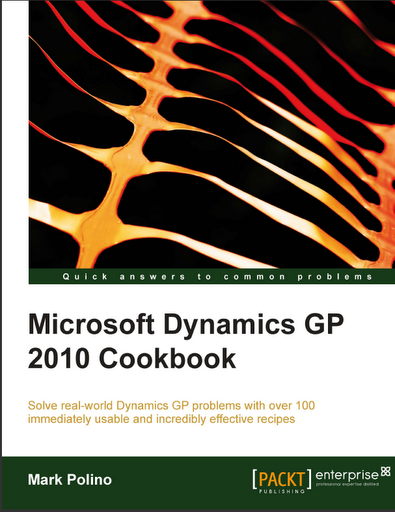
GP Cookbook – Can’t stop discuss about


There is a Preview Chapter available for this book, if you go to Packt Publishers site. I would like to highlight one more Recipe http://rcm.amazon.com/e/cm?t=widgetsamazon-20&o=1&p=8&l=bpl&asins=1849680426&fc1=000000&IS2=1&lt1=_blank&m=amazon&lc1=0000FF&bc1=000000&bg1=FFFFFF&f=ifrwhich is quite simple yet very interesting and informative.

In that chapter, Organizing Dynamics GP, Mark explains us about User-Defined Fields, well a bit more than what we would have thought about. Mostly users think about User-defined fields only as additional information and sometimes take it as additional fields for integration from some source. Read this recipe and your perception would be expanded about these simple wonders.

And needless to say, I am very glad to spread my words about this book by adding the Amazon Link to this book. By doing this, I am:

1. Simplifying users’ searching for this book.
2. Urging my blog readers to give it a certain shot.
3. Just expressing what I thought about this book.

My Perception: If Packt could give us an entire chapter full of such nice tips as preview, we must understand what the rest of chapters and the recipes would give us.

And trust my words, you won’t feel let down.

VAIDY

STOP Acting Smart – Give Polino the Appreciation & Credit he deserve


I honestly don’t mind being RUDE in this regard.

Disgusting to hear that Mark’s Cookbook (eBook version) was distributed free online by someone. That’s the least word that I could use. Disgusting.

Writing a book is not an easy thing in life. It must first engage the reader. It must give the user the worthiness of his/her time spent on reading it. It must be always fresh whenever you open it and read it. Mark’s book does just that. He has put his efforts & experience in giving us an awesome book full of information.

So those who are doing this disgusting act, STOP ACTING SMART and BUY the book. Sacrificing one movie night’s expense for this book, is not a bad idea, for god’s sake.

Let’s be professional, at least to the extent of not hurting one’s efforts and emotions.

VAIDY

Dex.ini Settings Document – From Leslie


This document consolidates all the Dex.ini settings that Leslie has read / used / shared in her blog, in her entire GP career. Ultimately, this is by far one stop document for Dex.ini settings document.

Read her article & download the document here: Dex.ini settings now available for download.

VAIDY

Changing Dictionary Context when using Passthrough Sanscript – David


David has started a new series which will explain Passthrough Sanscript Coding, from simple to complex scenarios.

First post here: Changing Dictionary Context when using Passthrough Dexterity sanScript Part 1


Watch out for some awesome posts from now on.


VAIDY

Microsoft Dynamics GP 2010 Cookbook – A Treasure from Mark Polino


Alright, we have seen and read so many books. On top of that, we have umpteen blogs for GP, newsgroups, forums and what not…!!! In fact Microsoft Dynamics GP itself gives us tons of manuals; PDFs and Context Sensitive CHMs.

Mark Polino has written a book titled Microsoft Dynamics GP 2010 Cookbook. What’s different in this book from the ones that we have already?

Two crucial things:
1. This book tells us HOW TO USE GP and not what’s there in GP. It’s a practical guide and not just theory. It tells us the tip and also why that tip.
2. This book carries the immense experience that Mark has got over this long period of his career. And trust me, that experience is tremendous.

A guy who has crossed 2000 posts in his GP blog, who enlightened this GP Community with his 50 Tips in 50 Minutes and made it THE TOPIC of this year’s Convergence, Mark has consolidated all of his experience to give us a collection of tips to USE GP in an efficient way.

Will I get benefited from this book? Will this book offer what I want? Will this book prove that it’s worth of what I pay for it?

Now please quit asking such questions and read this sample chapter: Organizing Dynamics GP.

The publisher of this book, Packt Publishing, has given us the above chapter as an extract from the book.

Trust me, the other chapters are just better than each other.

For instance, Mark explains the option “Allow Sale of Discontinued Items”, which I bet most of us (at least me) would have struggled to find. Those who are that “Adventurous” type would have known that, but certainly not all.

There are 290 pages of crucial tips which will enhance any GP Consultant / Administrator. And sure, I can go on and on about this book.

This book certainly live up to anyone’s expectation of getting enriched with GP Tips. I sincerely recommend to go for this book and keep it in your library. Any point of time, you can come back to this book and it will tell you what’s needed real-time.

Thanks so much, Mark, for giving us this book full of awesome tips. And I am sure we can expect more from you in future as well.

VAIDY

"Save As Integration" – Missing IM Option & Reason


Let me also pitch in and tell the world that this article, From the Newsgroups: What happened to Integration Manager “Save As” function?, from Mariano highlights what most people do not know about.

I was also one who wondered why it is not available, which I felt is a better option.

Read it and make sure that you learn the new way of doing copying an Existing Integration.

Thanks Mariano.

VAIDY

Using Custom Node with eConnect – Habib Salim on GP Dev Newsgroup


A very simple and excellent sample for all of us from Habib Salim on GP Developer Newsgroup.

Read it here: Using Custom Node with eConnect

I am quite sure, lot of us will be benefited from this post.

Thanks Habib.

VAIDY

CRM to Social CRM (SCRM)


I must admit that I am new to CRM and related concepts. But this article, from Jacob Morgan, gives me a better understanding and also about an evolving concept called Social CRM.

Read it here: The Evolution of CRM to Social CRM.

As I had mentioned earlier in one of my posts, in my blog, we are going to discuss both GP and CRM henceforth. I can see a future of GP & CRM along with BI and Sharepoint being a lethal collaboration.

VAIDY

CRM GP Adapter Series – Integration Models


This post intends to brief the list of Integration Models that are available and what’s the preferable sequence in which we have to integrate the First Time records.

The Integration Models available are:

1. Account (CRM) to Customer (GP)
2. Customer (GP) to Account (CRM)
3. Flat Fee (GP) to Product (CRM)
4. Kit (GP) to Product (CRM)
5. Miscellaneous Charges (GP) to Product (CRM)
6. Order (CRM) to Sales Order (GP)
7. Price Level (GP) to Price List (CRM)
8. Sales Invoice (GP) to Invoice (CRM)
9. Sales Item (GP) to Product (CRM
10. Sales Order (GP) to Order (CRM)
11. Salesperson (GP) to ERP System User (CRM)
12. Service (GP) to Product (CRM)
13. UofM Schedule (GP) to Unit Group (CRM)

Alright, that’s one long list, not so long though. Now we must understand what’s the scope of this integration and once we install this integration model, what’s the impact on CRM.

The following will be completely disabled in CRM once we install and configure this Adapter:
1. CRM Product will be disabled from allowing users to create new products in CRM.
2. Unit Group will be disabled as well.
3. Price Headers & Details will be disabled as well.
4. Discount Lists will be disabled as well.
5. Invoices can only be viewed in CRM.
6. Orders are editable only till the moment of integrating it into GP.

In a nutshell, you won’t be able to create anything related to a Product in CRM. This will be permanently disabled in order to establish a centralized control in GP.

Now, let’s see the details about CRM Adapter’s Initial Data Synchronization. This Initial Data Synchronization should be run in either of the following scenarios:

1. New GP and New CRM systems.
2. New GP and Existing CRM systems.
3. New CRM and Existing CRM systems.
4. Existing GP and CRM systems.

It depends solely on how a client decides it’s data integration. So let’s not discuss that here.

The following limitation is highlighted in this Adapter, which may or may not go down well with people out there:

Either Account (CRM) OR Contact (CRM) can be mapped and integrated to Customer (GP).

That means, CRM can maintain both Accounts and Contacts, but Adapter can be configured to map only either of both. In an ideal situation, we can map Accounts (CRM) to Customers (GP) and More Address (CRM) to Customer Addresses (GP). Thus removing Contacts (CRM) from our scope.

There is something called Picklist Synchronization Utility, which I will cover in the next post. This must be run before the Initial Data Synchronization. So this process is very important to know.

The following is the sequence with which we are suppose to run the Initial Data Synchronization:

1. Salesperson (GP) to ERP System User (CRM)
2. U of M Schedule (GP) to Unit Group (CRM)
3. Pricing Header:
3.1. Price Levels (GP) to Price List (CRM)
3.2. Items (GP) to Products (CRM)
4. Customers (GP) to Accounts / Contacts (CRM)

The above integrations must be done one by one. All these integrations should not be activated all at once.

Next post will explain Picklist Configuration Utility and how useful it is for us to control the integration in a better manner.

VAIDY

"Congrats" Extended to All MVPs


Extending my sincere wishes to all MVPs. Check out Leslie’s article to know about people who got their MVP awarded and also with a brief comment.

I am sure this is inspirational to everyone out there and get our best out and share it with our Community.

VAIDY