This is a very important article from Mark. He points out a very critical behavior in Extender. Do read his article to know it better and always remember what he has pointed out while using Extender Windows: Deleting Extender Window Deletes Data As Well.
Let me add some more of them (yeah I do say that as Limitations and NOT Flaws, because we don’t know whether these are overlooked knowingly):
1. I create an Extender Window and records are being entered. And we need to add another field as “Key Field” to that window. And if we do this, the records which are already been entered will become Orphan Records (often called Stranded Records). These records are not automatically amended with the new set of “Key Fields”. Instead, what we see after the “Key Fields” amendment, is a new record on screen and the table as well.
2. When I delete a parent record, the Extender record does not get deleted automatically. Of course, GP tables do not have the Parent Child relationships defined, but this could have been handled by some Dex triggers or even a DB trigger. And that puts me on a fix. As an End User, I am not bothered about what data is stored in which table and whether it still exists when I delete a parent record, but as a Technical guy, I should be bothered, as this is a bad design to keep a stranded record. I hope you all would agree.
3. When I add a Key Field, it automatically sorts it based on the Field Name, which I feel is really frustrating. For instance, I want my Key Fields to be “Customer ID”, “Customer Number”, “Address Code” and once I add these fields on the Key Fields area, these will be automatically sorted as “Address Code”, “Customer ID”, “Customer Number”.
There are more like these small issues. I would like to see the feedback from others to know these things better.
Vaidy
Little bit of Philosophy
I always ride my Yamaha Rx135 to anywhere. This is the motorcycle I use for my commutation from my home to office and vice versa.
Couple of days back, I filled gas and was riding to my office. It would go for sometime and stop abruptly. I just had to kick-start for couple of times, start it and go on. Again after sometime, it would stop abruptly, as if the gas tank is empty. Well, this was really frustrating, especially if it happens when you are on the way to office in the morning. I checked everything that I could: Choke, Gas flow to Engine, Spark Plug … everything that I thought I should check.
Failed on all troubleshooting, I had to get a Mechanic to look into this. I explained him all my troubleshooting results. He listened very carefully and he just glanced my bike from top to bottom. He asked me whether I filled gas recently. I nodded. And then came a question: DID YOU CLOSE THE GAS TANK LID PROPERLY? I just checked it and found IT WAS NOT. He explained the reason, that the air pressure was not proper inside the Gas tank, as it was opened. Since it allowed air inside, it did not propel the gas evenly to the engine, and thereby causing an Air Lock while riding.
So that’s the reason. It’s just an ignorance that caused this. I overlooked this and was checking every other detail. I did not check something irrelevant, but I did not check completely either.
How does this relate to Software Development? It does. You may have to go thru’ this article of mine: Declaring Variables to Relevant Datatypes. Well, that is just an instance.
Often, we do all important things while we develop something, double-check the details and finally somehow skip something which is very simple, yet have very critical impact. This could be just an unintentional ignorance, but could be avoided if we are a bit more attentive to the details.
While we cannot always avoid such instances, we can certainly minimize such occurrences.
Vaidy
Vista UAC & Dynamics GP
Upgrading Custom Forms & Reports Dictionaries
One of the most important and such a basic thing that I learned couple of hours ago is: How to update our Customization’s Forms/Reports Dictionaries? Silly, isn’t it? For I am supposedly a GP Consultant with 5 years of technical experience. But then, I do not mind admitting with my utmost honesty that, this is what I learned TODAY. And of course, I am contended that at least now I learned it…
I always version the Customizations that I develop, which will be relevant to that of the GP’s version. For instance, I alway start with 10.0.0 as my product’s version which is for GP 10.0. And it increases with every build, a feature addition and so on.
There is this customization which I am involved in for quite some time. And there is a report which is quite a complex stuff and the users always were so satisfied with their own trials with Report Writer and changing the format to their wishes.
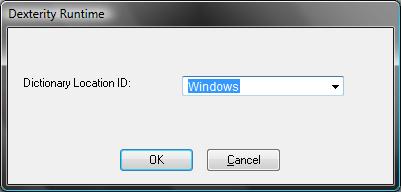
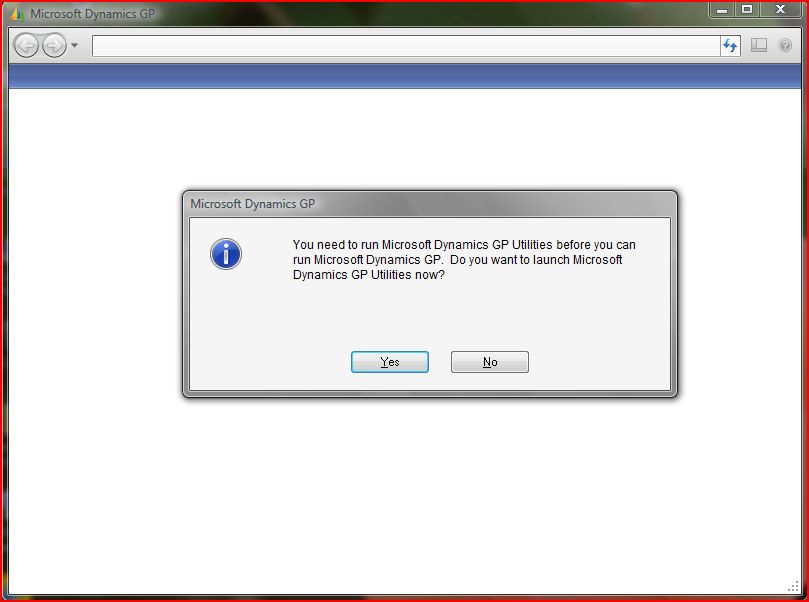
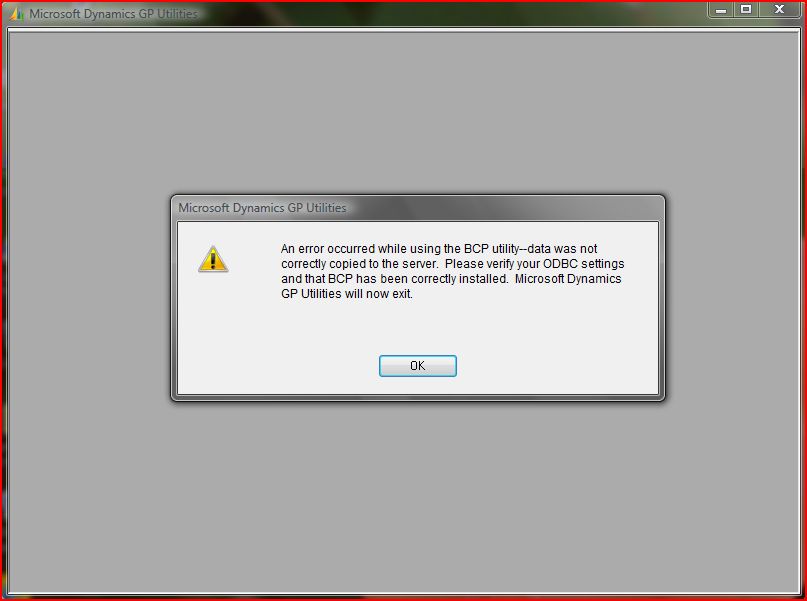
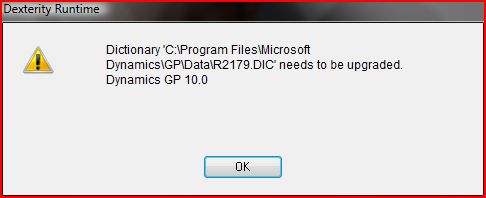
Things were going on well till the users modified the report. From then on, whenever I install the next version, it would throw this error message (shown below):
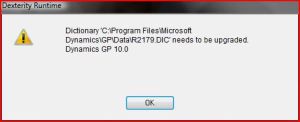
I knew for sure that since I maintain a proper versioning, the Reports dictionary for my Customization product should be upgraded to the latest version which I install. But I didn’t know how. There are two approaches to tackle this:
Approach I:
1. Take a backup of both Custom Dictionary (previous version) and its Forms/Reports Dictionary.
2. Launch GP and open Customization Maintenance.
3. Export the report modifications to a package file.
4. Close GP and make sure all other users are logged out as well.
5. Delete the previous version Custom Dictionary and Forms/Reports Dictionary.
6. Copy the new version Custom Dictionary on to the GP Application Folder.
7. Launch GP and respond to the chunk installation message.
8. Open Customization Maintenance and import the Forms/Report Modifications that was exported from the previous version.
9. We are good to go.
10. Next time you start GP, you will not be prompted with this message.
Approach II:
1. Take a backup of both Custom Dictionary (previous version) and its Forms/Reports Dictionary.
2. Close GP and make sure that all other users are logged out as well.
3. Delete the previous version Custom dictionary.
4. Copy the new version on to GP Application folder.
5. Launch GP and respond to the chunk installation message.
6. Once the chunk is installed, we will be greeted with the above Forms/Reports Dictionary Upgrade message. Click on OK and don’t login to GP.
7. Now, open GP Utilities.
8. After all the routine checks (Version information, GP updates check, etc…), we will be left with the Additional Tasks wizard.
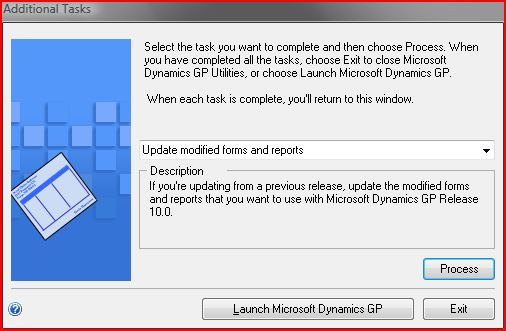
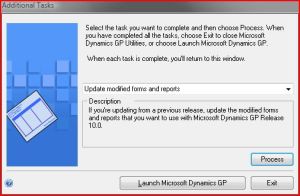
9. Now select “Update modified forms and reports” from the drop down, as shown below, and click on Process:
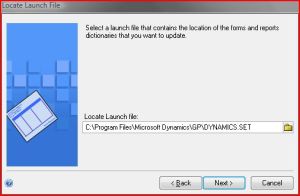
10. Select the launch file (Dynamics.set) from the application path from where GP is run, as shown below, and click on Next.
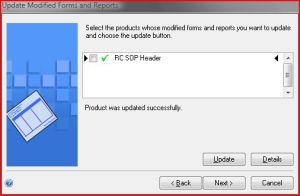
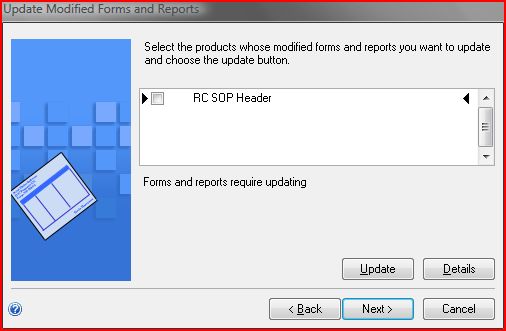
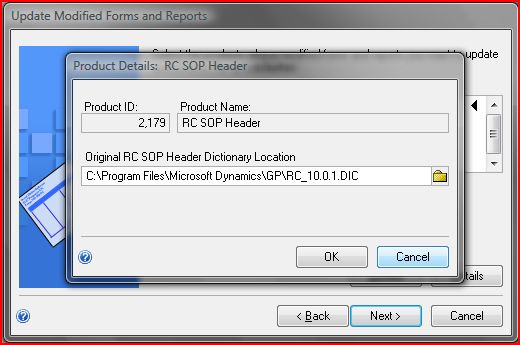
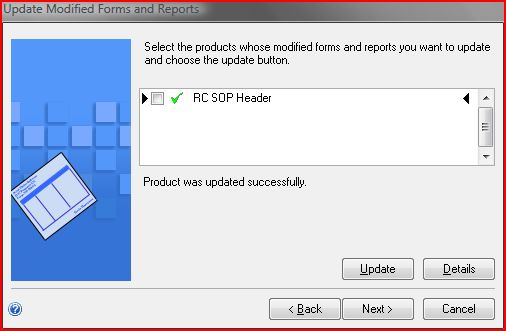
11. We will be listed with all the Products for which we need to upgrade the Forms/Reports Dictionaries. Select the product for which we are performing this upgrade, as shown below.
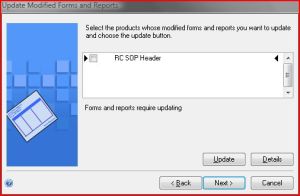
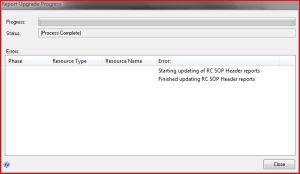
13. Click on Update and we will be shown with some upgrade progress. Once it is complete, the Report Upgrade Progress will contain either a Success status or the errors that it met while upgrading, as shown below (screenshot shows a Success message).
Extender Views – Victoria
Another informative article from Victoria on Extender Views.
As rightly mentioned by Victoria, Extender Views are always the least used concepts, but the most powerful and flexible. I had done couple of in-depth customizations involving Extenders, but I never used Extender Views, as to admit, I was not so impressed with it due to the lack of documentation and a bit of vagueness. But from now on, I will not be hesitant in advising Extenders to anyone and for any relevant customizations.
Hope all of us read this article and get the needed knowledge on Extender Views.
A simple yet powerful demonstration. I hope I owe many THANKS to Victoria in future for such articles. 🙂
Vaidy
GP10-Citrix-Outlook : Thanks Mark
Thanks so much Mark, for pointing this to us (GP 10 + Citrix+ Outlook Fix). Probably this would have sounded simple and people tend to overlook this issue, as not all are working on a Citrix environment.
But this is a much needed solution for me, to say the least. As you had pointed out, honestly I am one among those who advised to take Outlook settings out of GP Home Page. And till date, that’s the only solution I knew of.
Well, the credit goes to Andrew Cooper who replied to Micheal Smith’s query on the Google Groups (GP 10 Home Page + Outlook + Citrix Server = CRASH!). We would have certainly been ignorant of such a weird reason to this nagging issue.
To all the consultants, please take a note of this and it may help you sometime in the future.
Thanks again, Mark.
Vaidy
DEX_ROW_ID – Mariano Gomez
Well well, another good article. I have been busy reading articles across blogs and enter a word of admiration towards those articles on my blog.
Mariano has come up with information on DEX_ROW_ID, the most famous SQL column on all GP tables. This is an INT IDENTITY column, whose purpose and usage is explained in detail on this article.
I would just like to add one more point (probably couple of points), to substantiate why we should not use the DEX_ROW_ID on reporting or for any other table manipulation.
1. DEX_ROW_ID value is auto-generated by SQL Server. It is not controlled by any routine or process from GP. What does this mean to refer to this column? If you want to use this on your report design, for instance to use this value as a relationship factor, then you are in a trouble. Most of the developers should be knowing this anyways. For those who does not know about it: DEX_ROW_ID cannot be used as a key factor in a Parent – Child relationship. Of course, we cannot do it from Dexterity, but I am talking this from SQL perspective.
2. I have seen several customizations, that deal with moving the records within the table itself for several reasons. I mean, a record will be deleted and the same record would be recreated. In both instances, the DEX_ROW_ID will be different. DEX_ROW_ID is unique across the entire table, even if it means deleting and recreating the same record.
There are so many other points, which proves against using DEX_ROW_ID for our manipulations.
Overall, this is a very good article that we should read.
Vaidy
All about GP Item Type – From Merit Matters
Past 10 days have seen most informative and good articles across our Blogosphere. Another one has proved to be one such article.
Check this article from Merit Matters: What is an Item Type?
It just explains what are all the Item Types available and its meaning. Well, you can read this on the readily available GP manuals, but this article adds some experience and correlated information to the basics. For instance, it starts with the necessity of understanding GP Cards and with that starts explaining this Item Type as an instance. Slowly it dives into the other aspects of setting up an Item Type, such as the scope of each type.
Clearly a MUST READ article.
Vaidy
Sales Transaction GL Distributions – Victoria
A gem of an article from Victoria. Most of us would have wondered certain things with regards to Sales Transaction Distributions. At least, I used to wonder certain key aspects of this.
I knew WHAT distributions are created when we create a transaction and when we post it. For instance INV & COGS account distribution lines will not be created at the time of SOP document creation. It is created only when you post it. But I never knew WHY it is. Whenever I tell my team, I simply tell them that this is how it is done. I never had an answer for a trivial response from the team; WHY. This could be a very simple, something basic for me to know, but this is something new, when I read it. But clearly, I feel enlightened.
There are much more than what we would expect. Read this article itself to learn more: Sales Transaction GL Distributions in Dynamics GP.
Vaidy
Setting Tab Sequence
Is it important to set the tab sequence? YES IT IS. Not always we think about the convenience and user experience when we design the UI. Most of the developers across the world, first think about, is to meet the functionality. It is also so very important that we set the Tab Sequence properly. On a flip side, Unit Testing of any UI should capture this as incomplete and that needs to be addressed by the concerned developer.
A good article on this from David: How to Set the Tab Sequence. Read it and you will find many important details, which you may have overlooked or not be aware of. And don’t forget to set the tab sequence on each UI that is being designed.
Vaidy