Setting up SSRS in Dynamics GP – Mariano’s Input saved my day


I installed Dynamics GP 10, a fresh install to make sure that I properly install SSRS Add-On and configure it to GP 10.0.

Everything went on well and I started configuring SSRS Paths in Dynamics GP Reporting Tools Setup window.

I entered the path and I received a message “The Report server URL entered is not valid.”. No clue, whatsoever.

I surfed and here I found Mariano’s input to one of the users.

If you are busy enough to not going to that link and read, here is what Mariano had to say:

If you are on SQL Server 2005, the URL should be http://ServerName:PortNumber/reportserver/reportservice.asmx.
However, if your server happens to be a SQL Server 2008 server, the URL should be http://ServerName:PortNumber/reportserver/reportservice2005.asmx.

Thanks Mariano for this input and I am delighted to have succeeded in my task. Though this is for my own R&D, this has kick started a really interesting and sincere learning process.

VAIDY

Prospects in Dynamics GP (Not being taken care) – Steve Endow


Steve Endow in his blog, Dynamics GP Land, walks us thru’ GP’s Prospect Maintenance and what it lacks in terms of functionality and process.

Surely an insight to one of the untouched topic and how it lacks.

Those who advocate this feature for Customers, please have a look at this article before you leap.

VAIDY

When a Duplicate Journal Entry # is possible? – GP Newsgroup


This one is something very simple yet worth knowing and keeping it on mind: Under what circumstances can a duplicate J/E # be created?

This post contains Victoria’s & Mariano’s replies. I knew that if it’s a Reverse JRN, then we retain the same JRN# when a Reverse Entry is created. But other two solutions are pretty informative for me.

I would like to redirect to the original page, instead of consolidating the answers, so that readers will be aware of GP Newsgroup.

VAIDY

Dynamics GP 2010 – Customers Lookup Enhancement


This is very simple yet important feature that’s been added to GP 2010 Customers & Prospects Lookup.

Now we have an option called “Exclude Inactive Customers” and once we select it, the lookup filters Customers who are only Active and displays in Lookup. And it is not just that, we can set it up as Default View by clicking on “Set as Default View”. This is how it is:

I remember I have done this filtering using VBA code to one of my customers, an year back. And needless to say, my work got appreciated as none of the other approach they tried worked with a better performance.

Now this feature comes out of the box and I am sure a massive list of Customers would be happy with this.

VAIDY

Data Types Matter – Steve Jones (SQL Musings)


Another article which stresses on using relevant and optimal Datatypes instead of regular and unnecessary ones. There is an illustration which explains realtime.

The article, Data Types Matter, is written by Steve Jones on his blog SQL Musings.

Must read for all Developers out there.

VAIDY

Dynamics GP 2010 – Service Call Enhancement


One of the most helpful enhancement in Field Service – Service Call Management is that, we are now able to enter a Non-Inventory Item on a Service Call.

What does that mean for Service Industry Clients? They do not have to maintain all kinds of Service related tasks, such as Installation, Maintenance, etc. as Inventory “Service Charges” items.

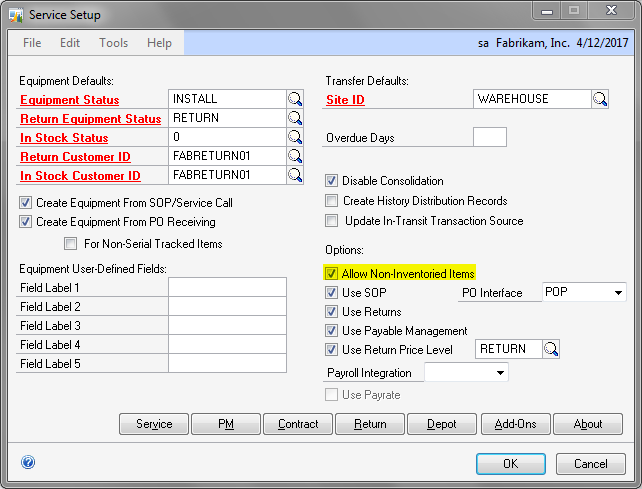
To enter Non-Inventory Items on a Service Call Spares window, one must enable “Allow Non-Inventoried Items” under “Options” section in “Service Setup” form, which is accessed from Microsoft Dynamics GP -> Tools -> Setup -> Project -> Service Setup. Shown as below:

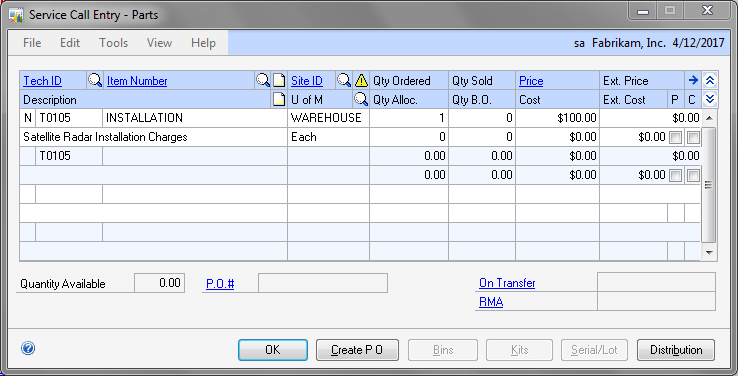
Once this is setup, you can then enter any Non-Inventory Item on Spares Entry window. Sample one is shown below:

The one which I entered as “INSTALLATION” is a Non-Inventoried Item. And whenever we enter such Items, we get “EACH” as our Unit of Measure, as it is in SOP Entry.

Very useful feature and I know how much it is going to help my current assignment, had this been introduced a bit early.

VAIDY

Dynamics GP 2010 – Issue in Editing Word Template in MS Word


I had mentioned in my previous article about OpenXML Plugin that must be installed on our system to run Word Template Report.

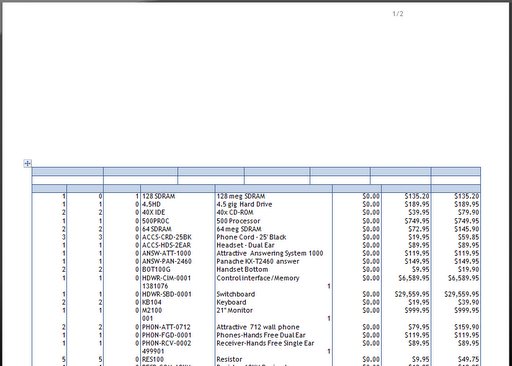
Once this was done on my test environment, I still could not see my Word Template report displaying all information as demonstrated in some Teaser Demos. The following was my Sales Order output:

The Header & Footer information were never shown and I am puzzled again as to how I could solve this issue.

When I tried modifying the Template from Word, the Microsoft Dynamics GP Add-In for Microsoft Word was loaded successfully on my MS Word, but I could never see “Developer” tab which will enable me to modify Word Report by adding / removing fields, logos etc.

I am still trying to find why this happens.

VAIDY

Editing VBA Code With Only Customization Site License – In Touch With Dynamics (GP)


Another informative and hidden tip from In Touch With Dynamics (GP) blog.

I myself got enlighten after reading this article: How to edit VBA when client only has Customization Site License.

I had never thought this was possible and it is.

Must read for all Dex/Modifier/VBA Developers out there.

VAIDY

Dynamics GP 2010 – Analysis Cube Error Message


I was testing Dynamics GP 2010 Analysis Cube Configuration for SQL Server 2008.

I entered the SQL Server 2008 Instance where GP is installed and I was able to successfully enter Setup Information for Analysis Cube Data Warehouse information.

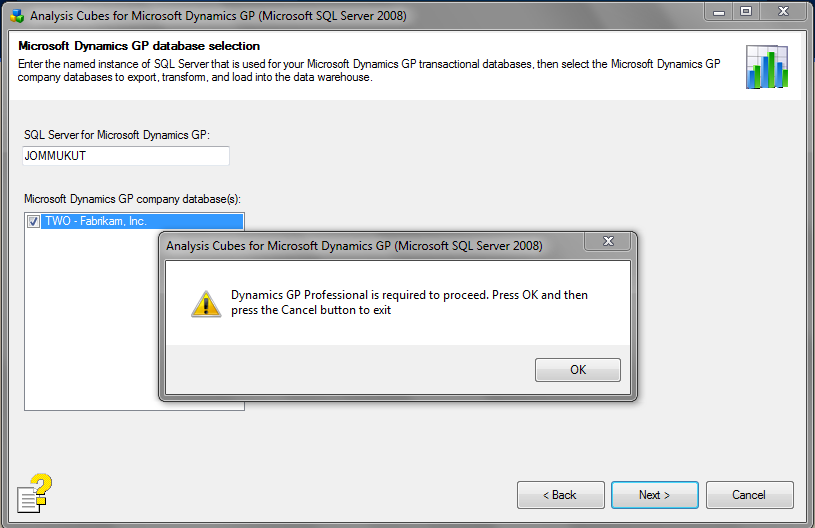
When I tried selecting TWO Company on which I wanted to configure and deploy Analysis Cubes, I got the following message:

I honestly do not understand the term “Dynamics GP Professional“.

While I am still wondering how to solve this issue, I would be immensely grateful if someone shed some light on this.

VAIDY

Generate Charts Using SSRS


MichaelJ2 has pointed out to a very good article in SQL Server Central portal, which explains step-by-step on how to generate charts using SSRS.

As he mentioned in the end, it’s worth to have a look since GP is moving more towards SSRS and it would be great to see more Decision Making charts generated right from GP.

VAIDY