Till SQL Server 2008 R2, if you want to change the database on which you would like to execute a SQL query in SQL Server Management Studio (SSMS), the keyboard shortcut to do so was CTRL + U from the query window.
Now from SQL Server 2012, it is CTRL + ALT + J.
So those who tried this using the old shortcut, keep in mind that the new shortcut.
To brief you here on why this performance issue occur, it’s because of huge pile of PO records staying on POP open tables, even after they are closed. When you run the report, it goes through each and every record on POP open table, due to which you got to wait for some time till query processing finishes.
Fix is to remove completed POs from open tables to history, which we have a standard utility available in GP.
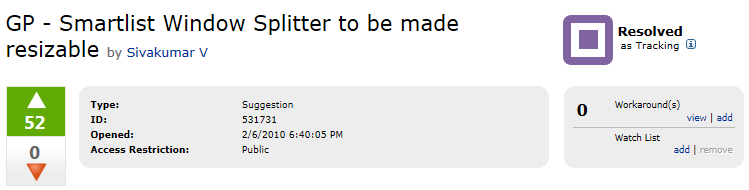
Mark highlights the Smartlist Left Pane curse (what else do you say if you see half of your screen is occupied by the Smartlist Favorites tree view and only half being allotted for results?) and a suggestion that was made by Sivakumar V.
Quite an interesting topic, I would say. It’s about the need to change/enhance the ERP experience that would work on par with what we have for our normal day-to-day technological consumption, such as Smartphones, Tablets, etc. It’s all about productivity without affecting a user’s interest and enthusiasm.
Read the article here to learn more: The Consumerization of ERP Software. And those who would like to see the video straightaway, please do so from here:
Microsoft had released the System Requirements for Dynamics GP 2013, that includes GP Web Client requirements as well. The system requirements page can be found here: System Requirements for Microsoft Dynamics GP 2013.
While I leave it to you to get informed about entire details, it’s worth to brief you about what are NOT supported:


 Dynamics GP - Learn & Discuss