Book Review: Microsoft Dynamics GP 2013 Reporting (Second Edition) – David Duncan & Chris Liley


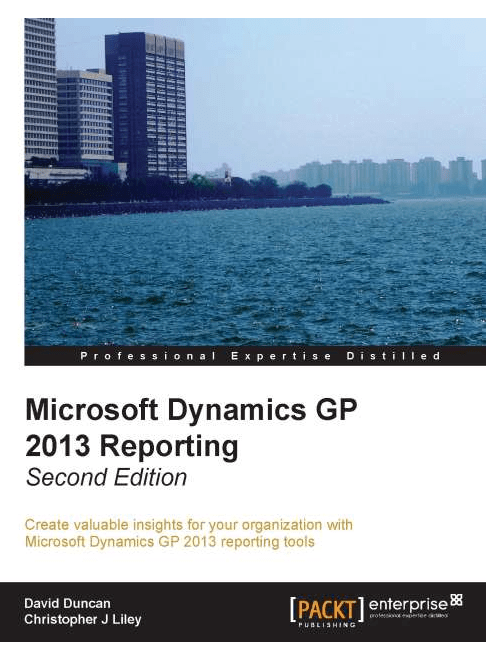
My second book as reviewer is Microsoft Dynamics GP 2013 Reporting – Second Edition written by David Duncan and Chris Liley.
Snip20131206_19

This book is second edition to their famous Microsoft Dynamics GP 2010 Reporting. So those who have read this book before would see the new book as an upgrade. And that’s quite obvious as this book covers more on reporting features that are now part of Dynamics GP 2013.

The book is structured as follows:

  • Chapter 1: Meeting the Reporting Challenge
  • Chapter 2: Where Is My Data and How Do I Get It?
  • Chapter 3: Working with the Builders – SmartList and Excel Reports
  • Chapter 4: Report Writer and Word Templates
  • Chapter 5: Utilising the SSRS Report Library
  • Chapter 6: Designing Your Analysis Cubes for the Excel Environment
  • Chapter 7: Utilising Analysis Cubes for Excel for Dynamic Reporting
  • Chapter 8: Designing Financial Reports in Management Reporter
  • Chapter 9: Viewing Financial Reports in Management Reporter
  • Chapter 10: Bringing it all Together
  • Appendix: Comparing the Dynamics GP Reporting Tools Against Different Reporting Challenges

Chapter 1 discusses about challenges faced by a report developer and how to get prepared to meet them. If there is one thing that’s changing constantly at Dynamics GP front is how we visualise the data that is entered in GP day-to-day. Financial statements, revenue analyses, stock analyses, multi-dimensional analysis of your business and then there is big data which you might want to link with your own business. This chapter provides food for your thoughts on Reporting overall.

Chapter 2 discusses about how GP stores your data and how easily and efficiently you can access them. This one is, in my opinion, very crucial chapter for any GP report developer. Unless you know how GP is structured and how data is stored, you can never become a successful report developer. To quote the authors themselves: Knowing where to begin is a critical first step. This chapter shows us exactly that.

Chapter 3 discusses about SmartList Builder and Excel Reports Builder. Two most amazingly simple yet efficient tools to create any report. Excellent chapter again.

Chapter 4 discusses about Report Writer and Word Templates. Report Writer, in my opinion, is a very underestimated tool. I am sure David Musgrave would pat me to have said this. Knowing this tool would most definitely help any GP report developer to harness their knowledge on GP data and structure. Word Templates were introduced some time back and meant to be alternative to Report Writer reports. So knowing them also would be better.

Chapter 5 discusses about SSRS reports that come with GP. If your are a SQL developer and you are asked to develop some reports on GP, SSRS is THE best reporting tool. Know the data and you are on. Brilliantly written chapter.

Chapter 6 and 7 discusses about Analysis Cubes for GP. If you require multi-dimensional reports on GP data and want to know how to develop them, these chapters are for you.

Chapter 8 and 9 discusses about Management Reporter, the replacement of FRx, but much more an advanced technology. These two chapters take you step by step in understanding MR and how to design reports.

Chapter 10 summarises whatever been discussed on all previous chapters.

Appendix gives you a view of all reporting tools that are discussed in a simple yet informative table. And this book is certainly not complete without this table. Amazing piece of information one could ask for.

David and Chris have put their sincere and precious efforts on writing this book. Their expertise on reporting is going to be a guiding force through this book to all of us.

This book is published by Packt Publications. Those who would like to buy this book can do so by clicking on the link provided at the beginning of this post OR by clicking on the book logo.

To the authors, David & Chris: I thank you both for this great book and accepting me as one of the reviewers. It’s very difficult to talk about the greatness of this book in one single post, but I guess I have done my best. It’s going to be my reference on anything about GP reporting. Thanks again.

VAIDY

GP 2013 Web Client Rendering on Mac OS Based Browsers


We all know GP 2013 Web Client is rendered on Silverlight. Though Silverlight plugin is available for Mac based browsers, rendering is not same as how it is rendered on Windows based browsers.

Below are some samples:

Windows IE:

Snip20131205_13


Mac OS X Safari:

Snip20131205_14


Windows IE:                                               Mac OS X Safari:

Snip20131205_15                     Snip20131205_16

Windows IE:

Snip20131205_17


Mac OS X Safari:

Snip20131205_18

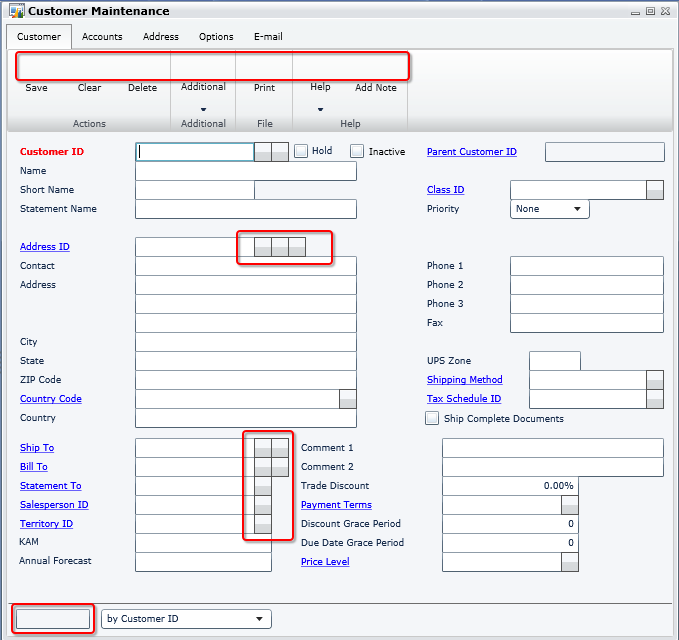
Apparently, there seems to be a rendering issue on showing pictures (and ONLY that I guess).

On the surface, it seems like Silverlight doesn’t render properly on Mac based browsers, while it could work perfectly on Windows. Thinking on this further, it’s only related to images. There could be something that we have to tweak on Silverlight plugin. Not sure what it is exactly at the moment.

Those who have implemented Web Client for customers with Mac, would you please step forward and shed some light on this?

VAIDY


GP2013 Web Client – Test Drive #MSDYNGP


It’s been an awkwardly long time since I had written anything on this blog. Now is the time probably to break that jinx.

I have been working on testing GP2013 Web Client on our environment. I have been constantly keeping myself updated with GP Web Client by reading our community blogs and forums, but never had seen it on my own machine till today.

Below is the snapshot of GP2013 Web on my MacBook Pro; on Mac OS X Safari browser.

Snip20131202_4

All you need to do is to install Silverlight for Safari on Mac. If it’s not there, you would be prompted to download and install.

I am now excited to get my customisations work with it. Will post anything that’s interesting and worth to be shared in coming days.

VAIDY

Microsoft Dynamics GP – Roadmap Refresh


MSDynamicsWorld.com has got the coverage on Microsoft Dynamics GP roadmap refresh.

GP Roadmap 2013

It’s quite exciting as well as stunning to know that we are moving towards service based GP architecture.

VAIDY


syExcelReports Table & SQL Server Native Client 10.0 – Thanks Aaron Berquist


While upgrading our GP from GP2010 SP3 to GP2013 SP1, DYNAMICS database upgrade stopped unexpectedly with GP crashing without any information for me to debug.

But it stopped exactly at table syExcelReports and crashed. Without spending anymore time, I just went and checked my ODBC DSN setup, as explained by Aaron Berquist on his blog High Dynamics Range. Expectedly, the ODBC DSN driver was not pointing to SQL Server Native Client 10.0.

For some reason, GP fails to process upgrade further if your DSN driver is NOT native client 10.0 or above.

Those who upgrade your GP to latest version, please check DSN before you start database upgrade using GP Utilities.

VAIDY

Microsoft Dynamics GP 2013 Service Pack 1 – Released


Over at Microsoft Dynamics GP Support & Services blog, announcement of Microsoft Dynamics GP 2013 Service Pack 1 release has been posted.

The post also details everything about this SP and you would want to read it thoroughly to understand this release and its significance.

VAIDY

Where is my Custom Reminder window to add reminders to my GP home page?


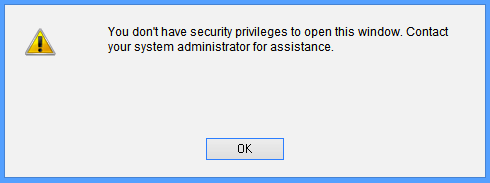
I was reported with a very vague issue: user could not create a custom reminder from a smartlist. He received an error message as follows:

Snip20130417_3

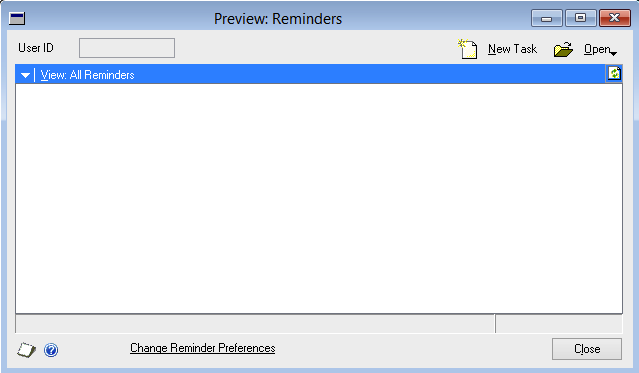
Basically, below is the window which user is trying to open:

Snip20130417_5

Ideally, you would think that this window is a part of Microsoft Dynamics GP dictionary. But it is NOT. It is a part of Smartlist dictionary.

But trick here is, you cannot see this window listed on when you try to assign this window a particular Security Task using Security Task Setup window. Then, how? How would I give access to this window?

After around an hour or so, with several script logs and profilers misleading me, I found one interesting statement on SQL Profiler trace, that was executed when the user tried opening that window:

Snip20130417_6

Exactly after this SQL statement, the above error message was thrown at the user. Which means, I must focus my troubleshooting efforts on this table; DYNAMICS..SY10000. This table is simply called User Security.

When user tried to open Custom Reminder window, system checked this table and see whether this user has got access to a window whose resource ID is 1452 in dictionary 0 (which is nothing but product Microsoft Dynamics GP) inside company ID 1 (which is my production GP company).

I was always thinking about something in Smartlist (which is, without any doubt), but system was checking something else in a different dictionary altogether. I wanted to see the window in Microsoft Dynamics GP dictionary which is of resource ID 1452. Opened the DYNAMICS.DIC on Dexterity and checked it, only to realise with disbelief that it was referring to following window:

Snip20130417_7

I did not understand first. Why would it check something totally irrelevant from what user wanted to open? Why would it check access to this window, when opening a window in different dictionary? I have no answer to these questions.

But I just thought I would take a chance. I checked this user’s security task setup and found that Reminders window was not assigned. I assigned that window for this user as shown below:

Snip20130417_8

Tested whether he could open Custom Reminder. To my utter disbelief, IT DID.

So, if somebody is facing same issue and has already lost almost all your hair, here you have, a solution that would bring upon peace.

VAIDY

GP 2013 Home Page (Re)Design Horrors


Well, I could understand what you might think after reading the title of this post AND if you had read my previous post on GP 2013 Home Page Redesign.

I did admit that the redesign was kind of great for users. Ian Grieve had commented back with an important #FAIL factor of this redesign.

With that #FAIL factor, I just got one more to crib about. So lets list it:

  • You cannot scroll within a frame. You MUST rely on mouse clicks(or a trackpad). You have no other option. (Thanks Ian, for your feedback with this point).

UPDATE (GP2013 SP1): Looks like this one’s fixed. You can indeed scroll within a frame using a standard mouse scroll wheel or a trackpad’s scrolling functionality. It’s a welcome fix.

  • If you ever want to realign the frames of a module (for instance Manufacturing), you can. But wait, that would stay ONLY TILL THAT SESSION IS ACTIVE. Once you log out from GP and log on back, your realignment is gone. Poof!!!

I am sure it is going to be highly irritating for users who rely mostly on GP home page.

And with that above statement, I now reverse my opinion on my first post.

VAIDY

Canada is Phasing Out Penny – How it affect GP Transactions?


Canada is so bold in phasing out Penny from its coinage. It is a very bold move. But how does it affect Microsoft Dynamics GP? How customers could adapt to this new situation?

Microsoft Dynamics GP Support team has answers to it. Read their post on their blog: Phasing out Penny in Canada.

Very informative and important post.

VAIDY

Possibility of Changing Account Format of COA


Over at Dynamics GP Support and Services Blog, Andrea Melroe describes on possibility of changing the account format of COA, rules involved, limitations and more important factors.

Excellent post and I am sure many GP customers and partners can learn a thing or two from this all important post.

VAIDY