Extender For GP 2013 – Release Update


eOne Solutions has got an update on release dates of their products for Dynamics GP 2013, including Extender Standard and Enterprise.

Since I am one among those who wait for Extender Standard for GP 2013, the release date has been planned before March 8th, 2013.

Highly important post; read it and plan your schedule of implementation (upgrade/fresh) accordingly.

VAIDY

GP 2013 Home Page (Re)Design Horrors


Well, I could understand what you might think after reading the title of this post AND if you had read my previous post on GP 2013 Home Page Redesign.

I did admit that the redesign was kind of great for users. Ian Grieve had commented back with an important #FAIL factor of this redesign.

With that #FAIL factor, I just got one more to crib about. So lets list it:

  • You cannot scroll within a frame. You MUST rely on mouse clicks(or a trackpad). You have no other option. (Thanks Ian, for your feedback with this point).

UPDATE (GP2013 SP1): Looks like this one’s fixed. You can indeed scroll within a frame using a standard mouse scroll wheel or a trackpad’s scrolling functionality. It’s a welcome fix.

  • If you ever want to realign the frames of a module (for instance Manufacturing), you can. But wait, that would stay ONLY TILL THAT SESSION IS ACTIVE. Once you log out from GP and log on back, your realignment is gone. Poof!!!

I am sure it is going to be highly irritating for users who rely mostly on GP home page.

And with that above statement, I now reverse my opinion on my first post.

VAIDY

Canada is Phasing Out Penny – How it affect GP Transactions?


Canada is so bold in phasing out Penny from its coinage. It is a very bold move. But how does it affect Microsoft Dynamics GP? How customers could adapt to this new situation?

Microsoft Dynamics GP Support team has answers to it. Read their post on their blog: Phasing out Penny in Canada.

Very informative and important post.

VAIDY

Caps Lock Reminder – For Microsoft Dynamics GP 2013


I had developed a small customisation module which would alert users while logging on to Dynamics GP with CapsLock key on. You can read more about it here: GP Login Form – Caps Lock Reminder Update.

That customisation was developed using Modifier with VBA. But with Dynamics GP 2013, much emphasis has been given to the new Web Client. Which means, all our VBA code logic won’t be supported by web client.

That said, I have now converted my code from VBA to VS Tools (using C#.Net as programming language). Those who are interested can download it FOR FREE from following link:

CapsLockMessage-12.0.0.1.dll

Instructions to use:

  1. Copy this DLL file and paste it on to GP AddIns folder (can be located inside GP 2013 application folder).
  2. Ask users to log out and log on back.
  3. If you do not need this tool anymore, just remove this DLL from AddIns folder, after all users log out.
  4. This can be used safely in production environment. This tool doesn’t interfere in any of your day-to-day transactional activities. The scope of this is restricted only to GP login form.

Your feedback is always welcome.

VAIDY

Possibility of Changing Account Format of COA


Over at Dynamics GP Support and Services Blog, Andrea Melroe describes on possibility of changing the account format of COA, rules involved, limitations and more important factors.

Excellent post and I am sure many GP customers and partners can learn a thing or two from this all important post.

VAIDY

Hey, Who Moved My (PowerPivot 2013) Cheese? – PowerPivotPro


That’s so very awkward…

You can’t get PowerPivot 2013 with Office Professional 2013. It’s available only with Office 2013 Professional *Plus*. Oh wait a moment. You can’t get Office 2013 Professional Plus just like that. It can be get ONLY with Office 365 subscription.

PowerPivotPro has got a post which explains this crazy thing.

Mark Polino, over at DynamicAccounting.net, has got his views too on this.

UPDATE: MSDynamicsWorld has got another post. Must read.

I do not know what to say about this. Just plain illogical for any customer to go for an Office 365 subscription JUST for PowerPivot and get screwed with monthly/annual subscription fees. Mark was so very right. PLUS stands for Please Let Us Screw you.

VAIDY

Visual Studio Tools for Dynamics GP – A Weird Flaw/Limitation


I must first admit that I faced this issue (or may be flaw…!?!?!?!) only now after all these years of VS Tools development expertise.

The issue is this: I want to write a custom code on two events; SOP Entry Print Button and POP Entry Print Button. When I initialise the event method for SOP Entry Print Button, following is how it generates the code:

Snip20130221_4

And the event method gets created as follows (if you use TAB to create the methods automatically):

Snip20130221_5

After above, when I try to initialise an event method for POP Entry Print Button, following is how it generates the code:

Snip20130221_6

When you try to press TAB to create the event method automatically, it takes you to previously created method.

Because, print buttons on both windows (SOP Entry & PO Entry) have same name technically, which is WindowPrint, VS Tools doesn’t understand both are from different windows and it just goes on to refer to one single method instead of two.

But you are not stuck there forever. Simple solution is to manually name your method initialisation with logical names, like below:

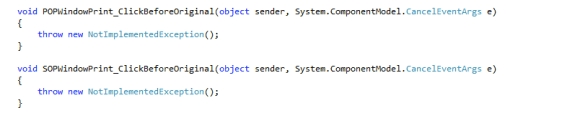
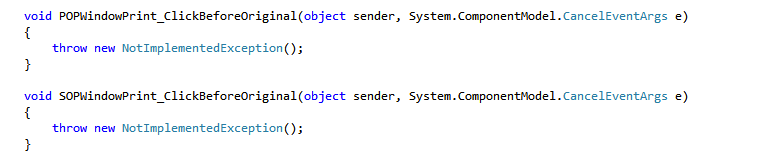
Snip20130221_7

And like below:

Snip20130221_8

Visual Studio Tools for Dynamics GP does not restrict you from using only names that it suggest.

VAIDY

Extender Transition Update – From eOne Solutions


eOne Solutions has posted an update on Extender Transition process on their blog. It’s very important for both partners and customers to read it and get an idea about what’s been going on and what to expect in future.

I would like to highlight the points about Pricing Changes, which are highly critical to any customer. Read the post and get informed.

VAIDY

Field Service Setup Menu in Microsoft Dynamics GP 2013


Has anyone noticed a subtle but highly logical change in Microsoft Dynamics GP 2013 menu structure?

Field Service Setup menu was grouped under Project till GP 2010. The path to access Service, Return, Contract setup menus was Microsoft Dynamics GP -> Tools -> Setup -> Project; which quite honestly did not make any sense. You are accessing Field Service setup, but from under the name Project…!?!?!?!?!?

Good folks at MSFT (and/or original developers of Field Service) might have sensed it, so now the setup menu items are logically structured under Field Service.

Snip20130218_1

I am happy to say the least. Because, if you want to access Field Service setup windows from GP home page, it was not possible till GP 2013. Now that’s also been fixed.

Small change, but a BIG difference it has made. Thanks MSFT & Field Service Team, for this.

VAIDY

SHARE The SharePoint Conference for Business Users – Wendy Neal


If there are any SharePoint users who also happen to be my blog readers, please note that we have a SharePoint Conference for Business Users in Atlanta, called SHARE.

The above link take you to Wendy Neal’s blog post on her blog SharePointWendy.

VAIDY