syExcelReports Table & SQL Server Native Client 10.0 – Thanks Aaron Berquist


While upgrading our GP from GP2010 SP3 to GP2013 SP1, DYNAMICS database upgrade stopped unexpectedly with GP crashing without any information for me to debug.

But it stopped exactly at table syExcelReports and crashed. Without spending anymore time, I just went and checked my ODBC DSN setup, as explained by Aaron Berquist on his blog High Dynamics Range. Expectedly, the ODBC DSN driver was not pointing to SQL Server Native Client 10.0.

For some reason, GP fails to process upgrade further if your DSN driver is NOT native client 10.0 or above.

Those who upgrade your GP to latest version, please check DSN before you start database upgrade using GP Utilities.

VAIDY

Microsoft Dynamics GP 2013 SP2 – Release Schedule Announced


Over at Microsoft Dynamics GP official blog, Errol sheds light on Microsoft Dynamics GP 2013 SP2 release schedule.

Along with that, he also lists on new features this release would have. Pretty interesting, especially on Web Client front.

I’m excited.

VAIDY

Microsoft Dynamics GP 2013 Service Pack 1 – Released


Over at Microsoft Dynamics GP Support & Services blog, announcement of Microsoft Dynamics GP 2013 Service Pack 1 release has been posted.

The post also details everything about this SP and you would want to read it thoroughly to understand this release and its significance.

VAIDY

Where is my Custom Reminder window to add reminders to my GP home page?


I was reported with a very vague issue: user could not create a custom reminder from a smartlist. He received an error message as follows:
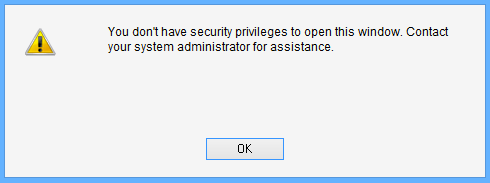
Snip20130417_3

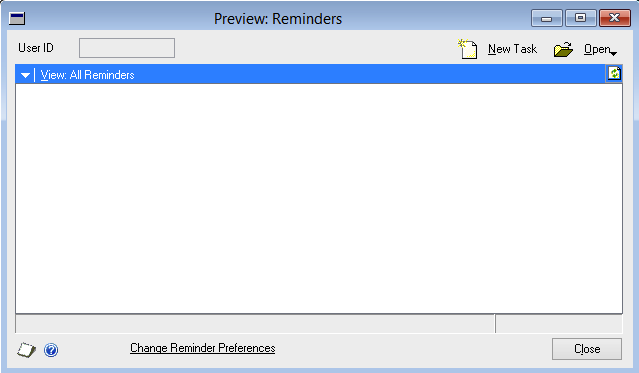
Basically, below is the window which user is trying to open:

Snip20130417_5

Ideally, you would think that this window is a part of Microsoft Dynamics GP dictionary. But it is NOT. It is a part of Smartlist dictionary.

But trick here is, you cannot see this window listed on when you try to assign this window a particular Security Task using Security Task Setup window. Then, how? How would I give access to this window?

After around an hour or so, with several script logs and profilers misleading me, I found one interesting statement on SQL Profiler trace, that was executed when the user tried opening that window:

Snip20130417_6

Exactly after this SQL statement, the above error message was thrown at the user. Which means, I must focus my troubleshooting efforts on this table; DYNAMICS..SY10000. This table is simply called User Security.

When user tried to open Custom Reminder window, system checked this table and see whether this user has got access to a window whose resource ID is 1452 in dictionary 0 (which is nothing but product Microsoft Dynamics GP) inside company ID 1 (which is my production GP company).

I was always thinking about something in Smartlist (which is, without any doubt), but system was checking something else in a different dictionary altogether. I wanted to see the window in Microsoft Dynamics GP dictionary which is of resource ID 1452. Opened the DYNAMICS.DIC on Dexterity and checked it, only to realise with disbelief that it was referring to following window:
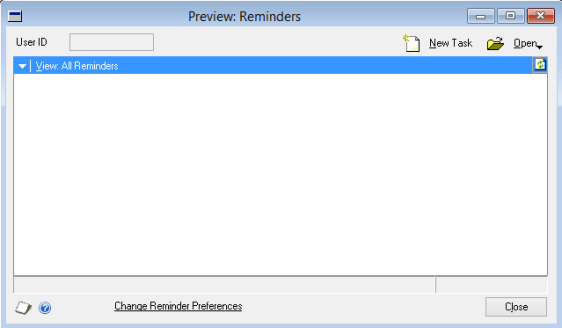
Snip20130417_7

I did not understand first. Why would it check something totally irrelevant from what user wanted to open? Why would it check access to this window, when opening a window in different dictionary? I have no answer to these questions.

But I just thought I would take a chance. I checked this user’s security task setup and found that Reminders window was not assigned. I assigned that window for this user as shown below:

Snip20130417_8

Tested whether he could open Custom Reminder. To my utter disbelief, IT DID.

So, if somebody is facing same issue and has already lost almost all your hair, here you have, a solution that would bring upon peace.

VAIDY
Where is my Extender Detail Window in Extender 2013?


With Extender 2013, we have whole lot of surprises on how it got enhanced. One biggest enhancement/change to Extender is the way it treats Extender Detail Window (that is the name till previous version).

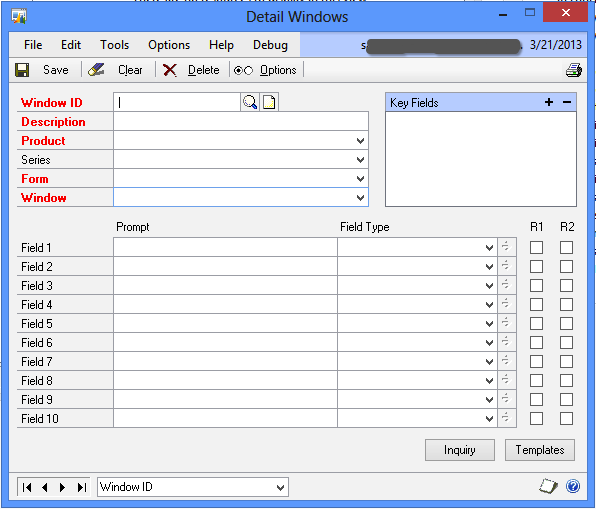
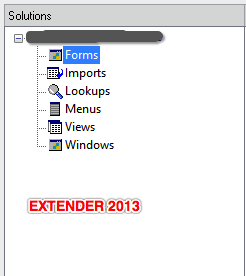
Previous version’s Detail Window definition looked as follows:

Snip20130321_3


Not any more… There is no such option called Detail Window. From now on, every window is called, well simply, a Window.

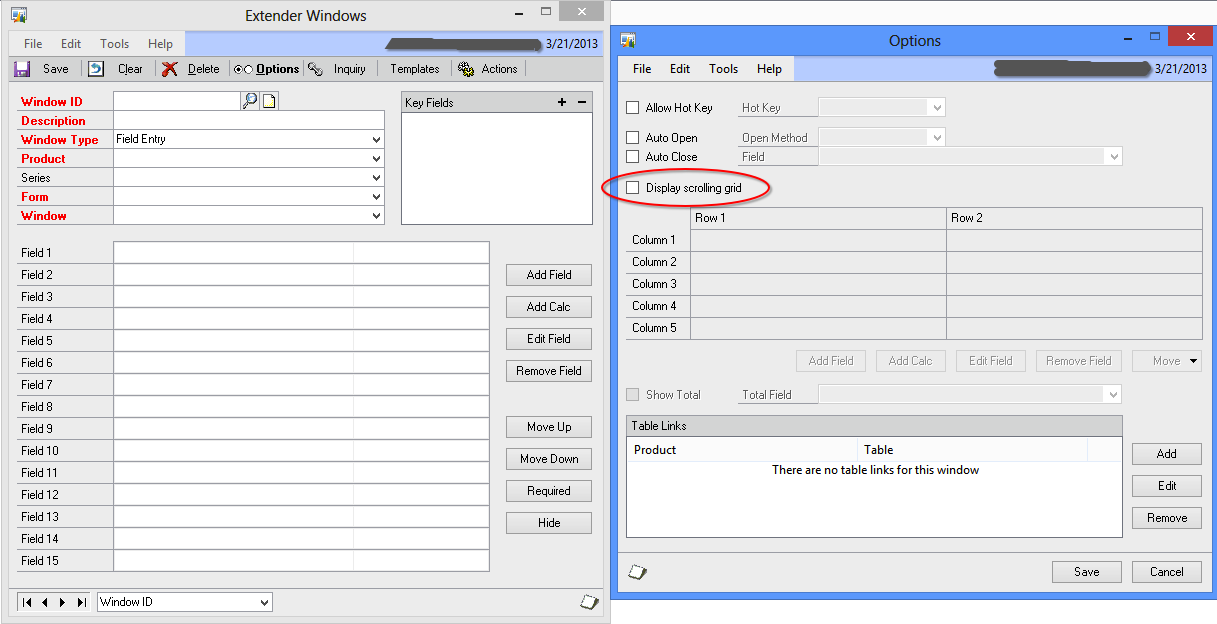
So where is the option to setup whether it’s a multiple row entry (grid) or not? Here it is:

Snip20130321_4

Just select option “Display scrolling grid” and you are good to go.

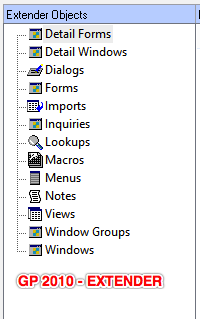
Clearly, eOne developers have done an immense cleanup work on Extender’s design. Overall, classification of Extender resources itself is now shrunken as follows:

Snip20130321_5   Snip20130321_6

Interesting changes; I have not gone thru’ all changes/enhancements yet. I will be posting more on all those interesting and critical changes.

So far, thumbs up to eOne Team, for their efforts.

VAIDY

Extender 2013 Has Arrived – Thanks eOne


Awesome news to me this afternoon…

eOne Solutions has released Extender 2013 for Dynamics GP 2013 today (late yesterday for some regions). Read their official blog post here: Extender Delivered.

Instructions on how to get the new version and license keys can be obtained from either your Partner or eOne directly. Shoot an email to them and they would be more than happy to guide you.

Let me continue with my customisations’ upgrade. Hectic times ahead.

VAIDY

Extender For GP 2013 – Release Update


eOne Solutions has got an update on release dates of their products for Dynamics GP 2013, including Extender Standard and Enterprise.

Since I am one among those who wait for Extender Standard for GP 2013, the release date has been planned before March 8th, 2013.

Highly important post; read it and plan your schedule of implementation (upgrade/fresh) accordingly.

VAIDY

GP 2013 Home Page (Re)Design Horrors


Well, I could understand what you might think after reading the title of this post AND if you had read my previous post on GP 2013 Home Page Redesign.

I did admit that the redesign was kind of great for users. Ian Grieve had commented back with an important #FAIL factor of this redesign.

With that #FAIL factor, I just got one more to crib about. So lets list it:

  • You cannot scroll within a frame. You MUST rely on mouse clicks(or a trackpad). You have no other option. (Thanks Ian, for your feedback with this point).

UPDATE (GP2013 SP1): Looks like this one’s fixed. You can indeed scroll within a frame using a standard mouse scroll wheel or a trackpad’s scrolling functionality. It’s a welcome fix.

  • If you ever want to realign the frames of a module (for instance Manufacturing), you can. But wait, that would stay ONLY TILL THAT SESSION IS ACTIVE. Once you log out from GP and log on back, your realignment is gone. Poof!!!

I am sure it is going to be highly irritating for users who rely mostly on GP home page.

And with that above statement, I now reverse my opinion on my first post.

VAIDY

Canada is Phasing Out Penny – How it affect GP Transactions?


Canada is so bold in phasing out Penny from its coinage. It is a very bold move. But how does it affect Microsoft Dynamics GP? How customers could adapt to this new situation?

Microsoft Dynamics GP Support team has answers to it. Read their post on their blog: Phasing out Penny in Canada.

Very informative and important post.

VAIDY

Possibility of Changing Account Format of COA


Over at Dynamics GP Support and Services Blog, Andrea Melroe describes on possibility of changing the account format of COA, rules involved, limitations and more important factors.

Excellent post and I am sure many GP customers and partners can learn a thing or two from this all important post.

VAIDY